Food and drink
Website for restaurants and cafés: menu, opening hours, directions.
In short
A restaurant website from WebVoyage costs a one-off CHF 849, CHF 1'449 or CHF 2'199, copy and images included. It shows your menu, opening hours and directions and puts your number one tap away for orders. From CHF 1'449 you edit the menu and hours yourself.
Fixed price from CHF 849
What guests look for on a restaurant website
Anyone opening a restaurant website usually has a specific question. Are you open today? What is on the menu, and what does it cost? How do I get there, and can I call? A good restaurant website answers these questions without detours, and on a phone. Mood pictures are welcome, but the answers come first.
- The menu as text with prices, readable on a phone without zooming
- Opening hours, plus public holidays and annual closing periods
- A tap-to-call number for orders and table bookings by phone
- Google Maps and short directions by train, car and bike
- Photos of the dishes, the room and the people behind them
That is why we build every website for restaurants, cafés and bakeries for the phone first and test it on real devices. The key facts sit on the first screen or one tap away, with no searching and no zooming. These elements belong on it:
Edit your menu yourself, no PDF needed
Menus are often posted online as a PDF. On a phone you have to zoom, and after a price change the file is out of date. We put the menu on the page as text, grouped by category and with prices. It reads well on any device. Search engines can read the content too.
From the Business package onwards you edit the menu yourself in the editing area. Change a price, add a seasonal dish or remove what has sold out. After saving, the change goes live automatically. Guard rails keep the layout intact, even with long dish names. You need no coding knowledge.
Opening hours, public holidays and closing periods
Opening hours belong near the top, not only in the footer. If the kitchen, the shop and the café keep different hours, we list them separately. For public holidays a clear rule is often enough, such as ‘on public holidays, Sunday hours apply’. That way nobody stands in front of a locked door.
You add a notice for your annual closing in the editing area and remove it again afterwards. With Ultimate we do this for you during the first year, and a short call or message is enough. Keep your Google Business Profile, which you manage yourself, in line with the same hours.
Orders by phone, with one tap
For takeaways, snack bars and bakeries the phone is often the shortest route to an order. We put the number where people look for it: in the top bar, next to the menu and in the footer. On a phone, one tap dials your number. Whoever calls can order straight away.
An online ordering system with a basket and payment is not part of our offer. A simple form is possible, and its details reach you as a message. You then confirm the order yourself, for example by calling back. Payment happens as usual on the premises, in the restaurant or in the shop.
Google Maps and directions
Every package includes a Google Maps map showing your location. We add short directions in words: minutes from the station, where to park, where bikes can go. That helps guests who do not know the area. Address and phone number also appear as plain text, so people can copy the address and tap the number.
Photos of your dishes and your place
A picture of a dish says more than any description. We show photos large and calm, with short captions instead of long texts. For the launch we supply suitable images, included in the price. We are glad to use your own photos of dishes, the counter or the bakehouse. On-site photo shoots are not part of our offer.
From the Business package onwards you swap images yourself, for example when a seasonal dish arrives on the menu. A good phone photo in daylight is often enough. Keep the background calm and the dish in the centre of the frame. A real photo from your kitchen shows guests exactly what to expect.
Examples: a bakery and a takeaway
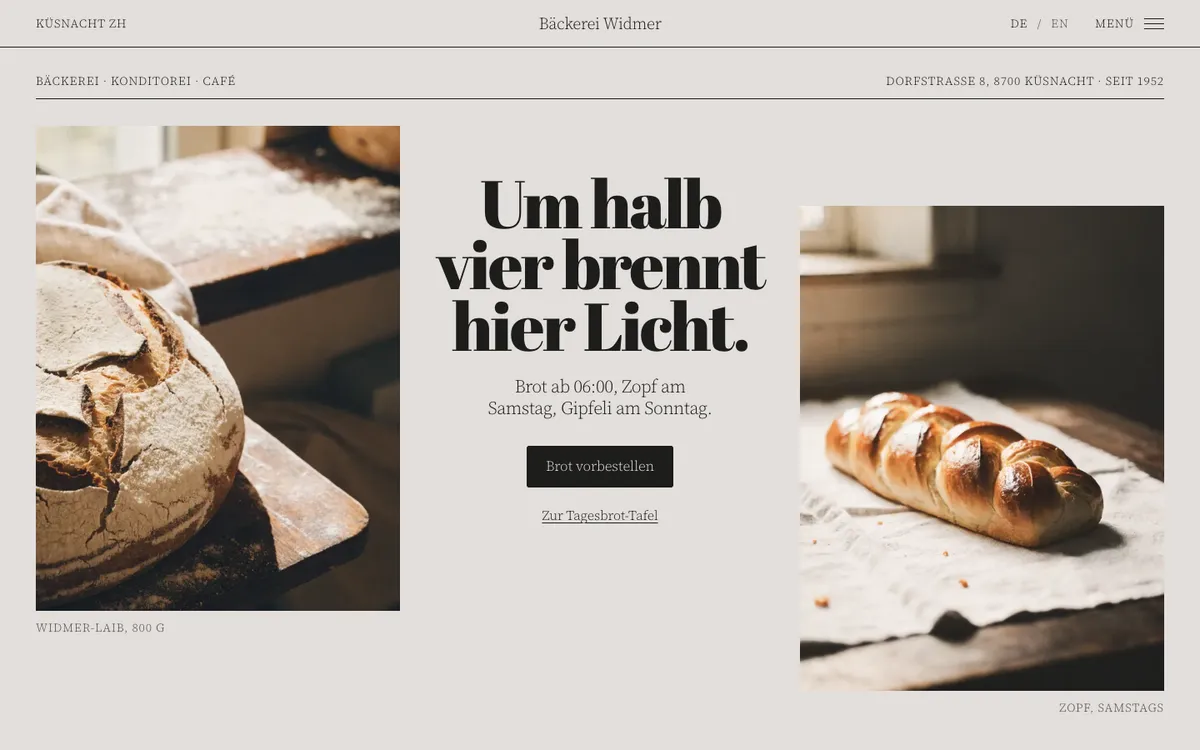
Two example websites show what this looks like in food and drink. The businesses are examples, but the sites work in full. Bäckerei Widmer shows opening hours and the phone number in the header. A daily bread board lists the bread and the price for each weekday. Pre-orders are possible until 4 pm the day before, by phone or form, with payment in the shop.
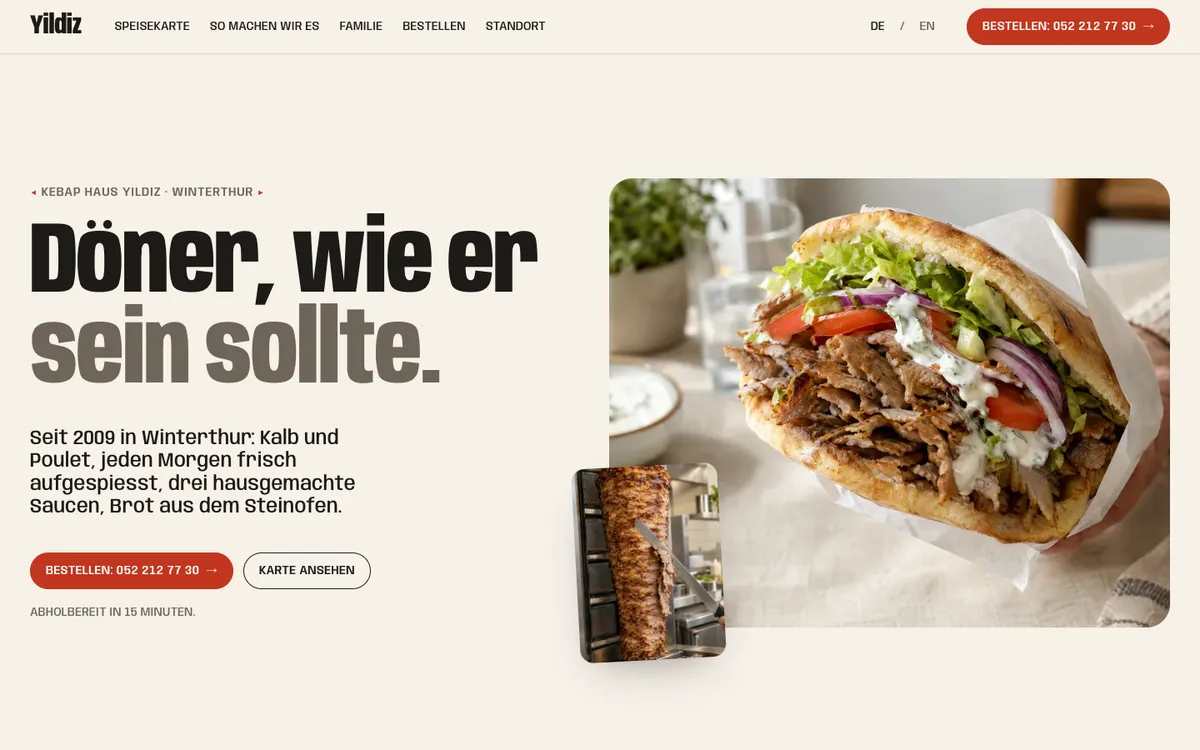
Kebap Haus Yildiz presents its menu with tabs for döner, dürüm, plates, pide and vegetarian dishes, each with a price. The button to order by phone sits at the top and below the menu. One section tells the story of the family behind the counter. Both are among our example websites.

What a restaurant website costs
Every package has a fixed price, copy and images included. Starter at CHF 849 suits a small café or takeaway with a single page. Menu, opening hours, contact form and Google Maps are included, live in 7 to 10 working days. We make changes for you, free in the first month and then at CHF 75 per hour or within the maintenance plan.
Business at CHF 1'449 is meant for places whose menu changes often. You edit menu, hours and images yourself, with up to 7 pages in German and English. Ultimate at CHF 2'199 adds hosting, maintenance and ongoing changes for the first year. It saves CHF 450 compared with Business plus a year of the maintenance plan.
All costs are broken down under website cost in Switzerland, and the maintenance plan at CHF 100 per month under website maintenance in Switzerland. The packages on our home page show all three side by side. The steps from first call to launch are under having a website built.
What you own after launch
After launch you receive every login: domain and hosting account in your name, the complete code and access to the editing area. Hosting is in Switzerland with Infomaniak. There is no contract that ties you in. We work for restaurants, cafés and bakeries across German-speaking Switzerland. We meet in person in the Zurich area, otherwise by video.